
Tesla Model Y: Using a Car Cover
To preserve the cosmetic appearance of the body when Model Y is not being used, use a genuine Tesla car cover. Car covers can be purchased from Tesla. See Parts and Accessories.
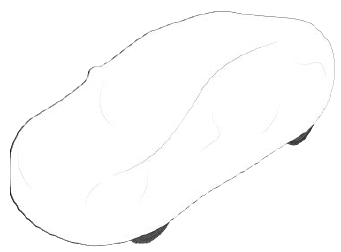
CAUTION: Use only a Tesla-approved car cover when Model Y is plugged in. Using a non-Tesla car cover can prevent the Battery from being adequately cooled during charging.
Floor Mats
To extend the life of your carpet and make them easier to clean, use genuine Tesla floor mats (see Parts and Accessories). Maintain floor mats by regularly cleaning them and checking that they are properly attached. Replace floor mats if they become excessively worn.
WARNING: To avoid potential interference with a foot pedal, ensure that the driver's floor mat is securely fastened, and never place an additional floor mat on top of it. Floor mats should always rest on top of the vehicle carpeting surface and not on another floor mat or other covering.
READ NEXT:
 Checking and Cleaning Wiper
Blades
Checking and Cleaning Wiper
Blades
Periodically clean the edge of the wiper blades and
check the rubber for cracks, splits, and roughness. If
damaged, replace the blade immediately to prevent
damage to the glass and improve visibili
Replacing Wiper Blades
For optimum performance, replace the wiper blades at
least once a year. Replacement blades must meet the
following criteria:
The blade on the driver's side must be 26 inches (650
mm) long and 21
SEE MORE:
Adjust the Following Distance
To adjust the following distance you want to maintain
between Model Y and a vehicle traveling ahead of you,
touch Controls > Autopilot > Cruise Follow Distance and
choose a setting from 1 (the closest following distance)
to 7 (the longest following distance). Each setting
corresponds to a
Auto Opening and Closing
To operate a HomeLink device without using the
touchscreen, you can automate the device to open as
you approach, and close as you drive away:
1. Touch the HomeLink icon at the top of the Controls
screen, then choose the device you want to
automate.
2. Select the Auto-open when arriving checkbox
